
Featured Games Categories and How They Work
Featured Games on supervegas88 spans three main categories: slot games, live-dealer tables, and sports/esports betting. Each category operates independently, yet all feed into the same account balance and withdrawal system. Slots like Aviator run on an automated timer—you place a bet, the flight multiplier ascends, and you cash out before the plane crashes. Sweet Bonanza, Gates of Olympus, Fortune Tiger, and Mahjong Ways function as traditional reel-based slots where symbol combinations trigger payouts and bonus rounds. Live-dealer tables (blackjack, roulette, baccarat, Dragon Tiger) connect you in real-time to a dealer via multi-camera studios, and your bets resolve as the dealer executes each hand.

Sports betting within Featured Games covers football leagues like Liga 1 and international tournaments (Piala AFF, Champions League, Premier League), as well as other sports like MotoGP and badminton. Esports markets include Mobile Legends, Free Fire, and PUBG Mobile, with live score updates and in-play betting available during matches. All featured games support multiple bet types—single bets, accumulators for sports, and variable stakes for slots. Your account balance updates instantly when a bet resolves or a game round concludes.
On supervegas88 mobile, accessing Featured Games takes two taps: log in with your saved credentials (or biometric unlock on Android), then navigate to the Featured Games menu. The interface adapts to your screen size, so buttons, bet sliders, and cashout buttons remain tappable without pinch-zoom. Landscape mode is supported for a wider game view on larger phones.
Mobile App vs. Browser Experience
Our Featured Games perform identically on the supervegas88 Android app and mobile browsers (Safari, Chrome). The key difference is persistence: the Android app caches game data locally, allowing you to load Featured Games faster on subsequent visits and to play offline-first and sync results once connectivity returns. Both paths support the same login, payment methods, and account history. We recommend installing the Android app if you play regularly, as app-based logins can use biometric unlock (fingerprint or face recognition), adding a security layer beyond password entry.
iOS users access Featured Games through Safari or Chrome without needing an app installation. We've optimized the mobile web interface for iPhones and iPads with iOS 13+, ensuring touch responsiveness and minimal lag. You can add a home-screen shortcut for faster re-entry. Session data syncs with our servers every 30 seconds, so your game position, account balance, and recent results remain consistent across devices.
Deposit and Withdrawal for Featured Games
When you're ready to place a Featured Games bet, you first link a payment method. We support eight local options, each processing instantly or within minutes. DANA and e-wallet transfers complete in under 30 seconds after you confirm in their apps. mobile banking and local payment follow similar paths. For traditional banking, online payment codes and e-wallet, mobile banking, local payment, online payment virtual accounts provide reliable settlement windows. Your deposit balance appears in your supervegas88 wallet immediately, and you can begin placing bets across any Featured Game category.
When you win and wish to cash out, initiate a withdrawal request in your account settings. We review the request to verify it matches your KYC documentation—a standard anti-fraud step that typically takes 1–2 hours during business days. Once approved, funds transfer to your chosen payment method. Bank transfers may take 2–4 hours depending on your institution; e-wallets like e-wallet and mobile banking typically complete within subject to verification. All withdrawal requests appear in your transaction history with status updates (pending, approved, processed) so you can track progress in real-time.
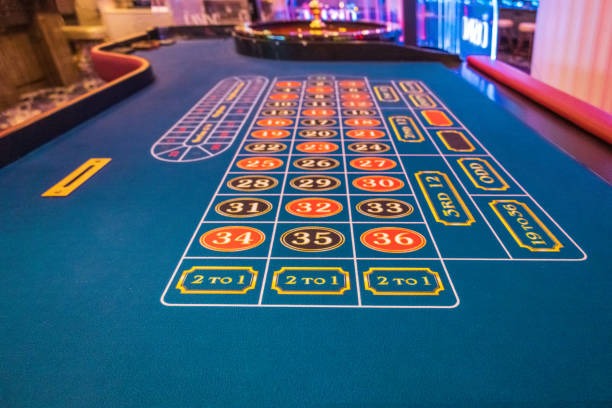


Data usage across Featured Games is minimal
A typical session—loading 5 games, playing 20 rounds, and checking account balance—uses roughly 8–15 MB. Live-dealer streams consume more; slots and sports betting use less. Adjust notification settings to reduce background syncing.
Account Verification and Security
Before you can access Featured Games with real money, supervegas88 requires KYC verification. The process is straightforward on mobile: upload a photo of your government-issued ID (passport, national ID, or driver's license) and proof of address (utility bill, bank statement, or rental agreement). Verification typically completes within one business day. Once approved, you can deposit and wager across all Featured Games categories.
Your supervegas88 account is protected by encrypted login credentials and session management. We never share your password with payment partners, and we encrypt all account data at rest. If you log in from a new device, we may send a verification code to your email or phone—a standard security layer that prevents unauthorized access even if your password is compromised. You can enable two-factor authentication in your account settings for additional protection. Push notifications about suspicious login attempts or unusual activity can be toggled on or off in your preferences.