Game Library Structure and Mobile Navigation
The supervegas88 Game Library is organized into five main categories: Sportsbook, Slots, Live Dealer, Esports, and Numbers Games. On mobile, these appear as horizontally scrollable tabs that you can tap to filter your view. Each category displays available games or markets, updated in real-time. For example, the Sportsbook tab shows active football matches, upcoming tournaments, and available bet types for each fixture. The Slots category lists individual game titles with their current player counts and RTP (return-to-player) percentages displayed for transparency.

When you open supervegas88 on Android via our APK or on iOS through your browser, the Game Library loads with your last selected category visible. We cache category data locally, so switching between tabs happens instantly even on slower connections. A search function sits at the top of each category—type "Aviator" to find the slot, or "Liga 1" to jump directly to football markets. Filters let you sort games by popularity, RTP, or newest additions.
Each game or market displays a brief description: the Aviator slot shows its mechanics (crash-style gameplay), the Liga 1 sportsbook section lists all active matches with kickoff times, and the Dragon Tiger live-dealer option explains the table rules and current player count. This transparency helps you decide what to engage with before committing your account balance.
Sportsbook and Esports Markets
Our Sportsbook on supervegas88 focuses on football tournaments and related sports. Liga 1 matches appear with multiple bet types—full-time result, over/under goals, player props, and live in-play markets that update as the match progresses. Piala AFF, Piala Indonesia, Champions League, and Premier League fixtures populate the calendar as tournaments run. We also cover MotoGP and badminton when relevant competitions occur.
Esports markets operate similarly: Mobile Legends Professional League (MPL) matches, Free Fire tournaments, and PUBG Mobile competitions each show available bet types and game information. The interface adapts to each sport's rhythm—fast-paced esports matches may have in-play markets updating every few seconds, while football matches follow standard half-time and full-time market structures. Your supervegas88 account balance appears at the top of every screen, and placing a bet updates it instantly once the bet settles or the market closes.
Slots and Live-Dealer Tables
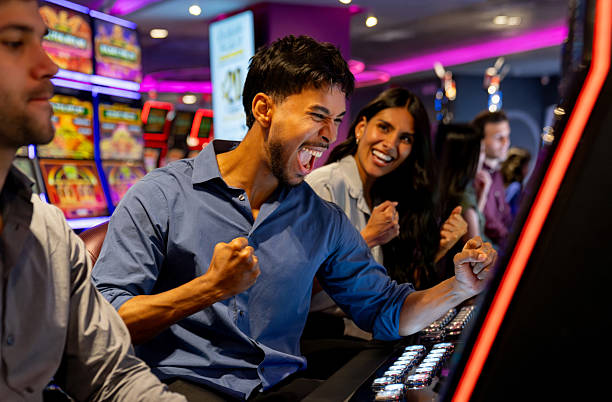
Our Slots section lists individual game titles with gameplay previews. Aviator, Sweet Bonanza, Gates of Olympus, Fortune Tiger, and Mahjong Ways are consistently available. Each slot displays its RTP, volatility rating, and a e-walletef description of its core mechanic. When you tap a slot, it launches in full-screen mode on your phone and responds to portrait or landscape orientation depending on how you hold your device. We've optimized all slots for touch controls—the spin button is large, bet sliders are responsive, and the win counter updates smoothly without lag.
Live-Dealer tables on supervegas88 connect you to real dealers in multi-camera studios. Blackjack, roulette, baccarat, and Dragon Tiger each have their own table lobbies where you can see the dealer, other players, and the live game progression. Tables accommodate multiple players simultaneously, and chat features let you interact with the dealer and other participants. Mobile versions of live-dealer games load within 3–5 seconds on a standard 4G connection and stream video at adaptive quality to manage your data usage.



Account Verification and Payment Integration Across Game Library
Before you access any game in our supervegas88 Game Library, your account must complete KYC (Know Your Customer) verification. This process takes subject to verification: provide your email, create a password, upload a photo ID, and submit proof of address. Verification typically completes within one business day. Once approved, you link a payment method—mobile banking, local payment, online payment, e-wallet, mobile banking, local payment, online payment, e-wallet, mobile banking, or local payment—and deposit funds into your supervegas88 wallet.
Your single wallet balance applies across all Game Library categories. When you place a sports bet on Liga 1, the wager deducts from your balance instantly. If you then launch an Aviator slot and place a spin, that stake also deducts from the same wallet. Winnings from any game or market credit back to the same account, so you can move between sportsbook and slots without re-depositing. This unified approach simplifies account management on mobile—you never need to manage separate balances for different game types.
Withdrawals apply the same process across all game types
Whether your winnings come from a Liga 1 bet or a slot jackpot, withdrawal requests process through your supervegas88 account using your registered payment method. online payment and e-wallet transfers complete within subject to verification; bank transfers take 2–4 hours during business days.
Mobile App Performance and Data Efficiency
Our supervegas88 Android APK (available for download from our site) is optimized for devices running Android 8 and above. Installation takes subject to verification, and the app consumes approximately 85 MB of storage. Once installed, push notifications alert you to new matches, live-dealer table availability, and slot game launches. You can customize these notifications in your account settings—enable match reminders, disable promotional alerts, or toggle esports notifications independently.
The iOS experience via Safari or Chrome browser mirrors the Android app functionality. Session data syncs across devices, so logging in on your iPhone accesses the same account balance and game history as your Android phone. Both platforms support biometric login (fingerprint or face recognition) if you enable this option in your account security settings. Data usage during gameplay varies: a 30-minute sportsbook browsing session uses roughly 15–20 MB, a slots session consumes 8–12 MB, and live-dealer streaming adapts its video quality to your connection speed, typically using 20–30 MB per hour.
Game Library Search and Favorites
The supervegas88 Game Library includes a search function accessible from any category. Typing partial game names, team names, or tournament abbreviations returns relevant results—search "Sweet" to find Sweet Bonanza, or "Mobile Legends" to jump to esports markets. You can also bookmark favorite games by tapping a heart icon, creating a custom "Favorites" tab that surfaces your most-played slots and most-watched sports markets. This personalization reduces the time spent browsing, letting you launch your preferred game within seconds of opening the app.
Game Library Accessibility and Jurisdictional Framing
Access to our supervegas88 Game Library is available only where local law permits. We do not offer our services in jurisdictions where online gaming is prohibited. Users are responsible for verifying that their access and use of supervegas88 comply with their own jurisdiction's laws. If you're in a supported region, all five Game Library categories operate identically—there are no region-specific restrictions between sports betting and slots, for example. The only variables are payment method availability (which adapts to your region) and content licensing (some sports leagues may have regional broadcast restrictions that affect live betting availability).